The Phomemo M110 Label Maker review is for buyers who want a compact thermal printer for product, address, barcode, or household labels.
Its phone app, Excel batch printing, and included label rolls and carry bag make it a flexible starting kit for short labeling runs.
Phomemo M110 Review Summary
The quick verdict
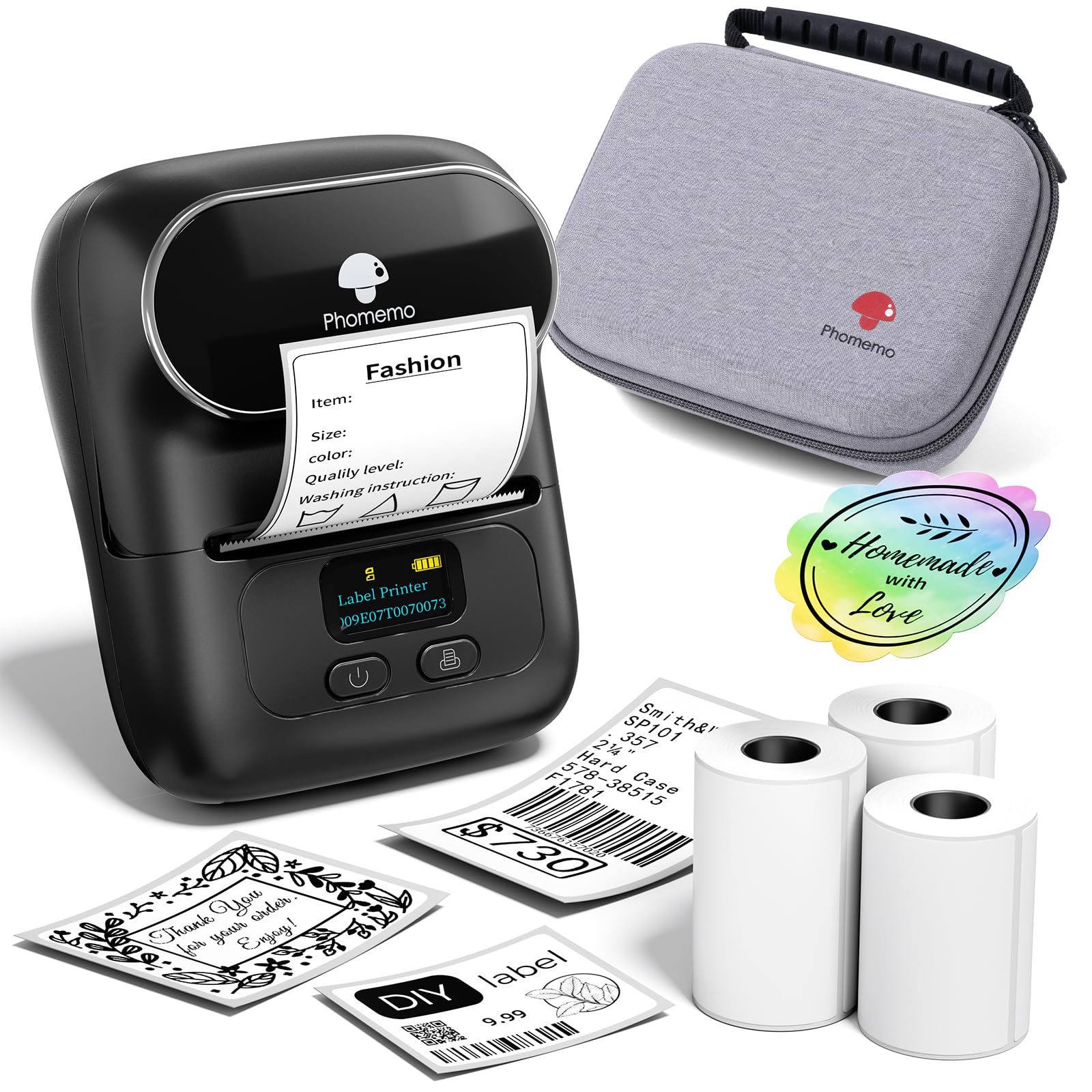
6,000+ ratings
Read Amazon ReviewsPhomemo M110 Label Maker
A practical fit for small businesses, home offices, and organizers who want portable thermal labels, app templates, and batch printing.
- Portable 2-inch Bluetooth thermal label printer for monochrome output.
- Bundle includes three rolls of white thermal labels, a black bag, a USB-C cable, and a user manual.
- The Phomemo app offers multiple label templates and tools for editing or creating custom layouts.
- Excel batch printing supports printing repeated label information in a work session.

Pros
- Three included label rolls make it easier to start printing without first assembling supplies.
- Excel batch printing can reduce repetitive setup when producing labels from tabular information.
Consider before buying
- The monochrome thermal output is intended for practical text and codes rather than full-color label designs.
- For the most predictable printing results, buyers should plan around the recommended Phomemo-branded thermal paper.
Read the full review summary
The M110 pairs a portable, monochrome thermal printer with the Phomemo app, where users can edit label layouts, choose from templates, and make their own.
Excel batch printing and OCR text recognition add practical routes for turning existing information into printable labels, especially when preparing repeated product or inventory labels.
This bundle includes three rolls of white thermal labels, a black bag, a USB-C cable, and a manual. That makes it appealing for sellers, crafters, and home users who value a ready-to-organize kit and compact workflow.
The key buying consideration is the media and connection routine: it is designed around thermal labels and Bluetooth printing, and the maker recommends Phomemo-branded label paper for optimal results.
The buying factors
Phomemo M110 Scorecard
Editorial scores reflect listed features and buyer fit; they are not laboratory measurements or customer ratings.
Small-batch workflow
Excel batch printing and label editing suit repeated runs of product or organization labels.
App flexibility
Templates, custom layouts, and OCR give users several ways to create label content.
Portability
The compact printer comes with a carrying bag, making it convenient to keep a labeling setup together.
Starter bundle
Three rolls, a USB-C cable, and a manual provide useful essentials for getting started.
Label supply flexibility
The maker recommends its own thermal label paper for optimal printing results, so buyers should consider their preferred refill routine.
Connection convenience
Bluetooth 4.0 and one-click connection are intended to simplify wireless printing, with a stated range of up to 33 feet.
Key Features and Specifications of Phomemo M110
- Portable 2-inch Bluetooth thermal label printer for monochrome output.
- Bundle includes three rolls of white thermal labels, a black bag, a USB-C cable, and a user manual.
- The Phomemo app offers multiple label templates and tools for editing or creating custom layouts.
- Excel batch printing supports printing repeated label information in a work session.
- OCR can recognize text in images and convert it into editable text; the feature is described as recognizing text in four seconds.
- Bluetooth 4.0 supports a one-click connection and a stated range of up to 33 feet.
- The maker recommends Phomemo-branded thermal label paper for optimal results; some app templates, icons, and fonts marked with a diamond are member-only, while most unmarked options are free.
Pros and Cons of Phomemo M110
Pros
- Three included label rolls make it easier to start printing without first assembling supplies.
- Excel batch printing can reduce repetitive setup when producing labels from tabular information.
- OCR offers a way to turn photographed text into editable label content.
- The bag and compact format suit a printer that may move between a desk, packing area, or storage space.
Consider before buying
- The monochrome thermal output is intended for practical text and codes rather than full-color label designs.
- For the most predictable printing results, buyers should plan around the recommended Phomemo-branded thermal paper.
- The app's diamond-marked templates, icons, and fonts require membership, so check the available free options if a specific design matters.
Who Should Buy Phomemo M110?
Good fit
Consider the Phomemo M110 if you prepare repeated small labels for products, packaging, files, ingredients, or household storage.
The app combines templates with custom editing, while Excel batch printing can make larger sets less tedious than entering each label individually.
OCR is another useful option when label text already exists in an image and needs to be adapted.
The included three rolls and carrying bag make this package suitable for a small business or home office that wants a compact setup.
Before buying, think about the label sizes and paper supply you plan to use, and check that the app's available templates suit your intended designs.
The described workflow centers on Bluetooth and thermal paper, with the maker recommending its own paper for optimal results.
Who should skip it
Look elsewhere if your main need is color printing; the M110 is described as a monochrome thermal printer.
It may be a poor fit if you need a label maker whose workflow avoids a companion app or if your preferred label paper is from another brand and you cannot confirm compatibility before purchase.
How the Phomemo M110 Fits a Small Labeling Workflow
Batch printing for repeat jobs
Excel batch printing is one of the M110's most useful business-oriented features.
It can help when a product run, event, or stock update calls for many labels with changing fields, because the app supports batch output rather than requiring each label to be composed separately.
Buyers should consider whether their existing label information is organized in a format that makes batch preparation convenient.
OCR as a shortcut for existing text
OCR gives the printer a role beyond composing labels from scratch: text in an image can be recognized and converted into editable text.
That can be handy when transferring names or other short details from a photo, though it remains a step in a workflow rather than a substitute for checking the final text before printing.
Thermal media and ongoing use
Thermal printing is suited to focused monochrome labels, while the supplied rolls help cover initial jobs. The brand recommendation for Phomemo paper makes refill choice worth considering as part of ownership.
If you expect to use other label stock, check its fit and print results before relying on it for a batch.
Bluetooth and app-based operation
Bluetooth 4.0 and one-click connection are intended to keep everyday printing straightforward, and the stated range is up to 33 feet.
The app provides the editing and template tools, so buyers who are comfortable designing labels on a phone can take advantage of the M110's more flexible features.
The member marks in the app are also a reminder to review which design resources are available without a subscription.
Alternatives to Phomemo M110
Battery-focused alternative
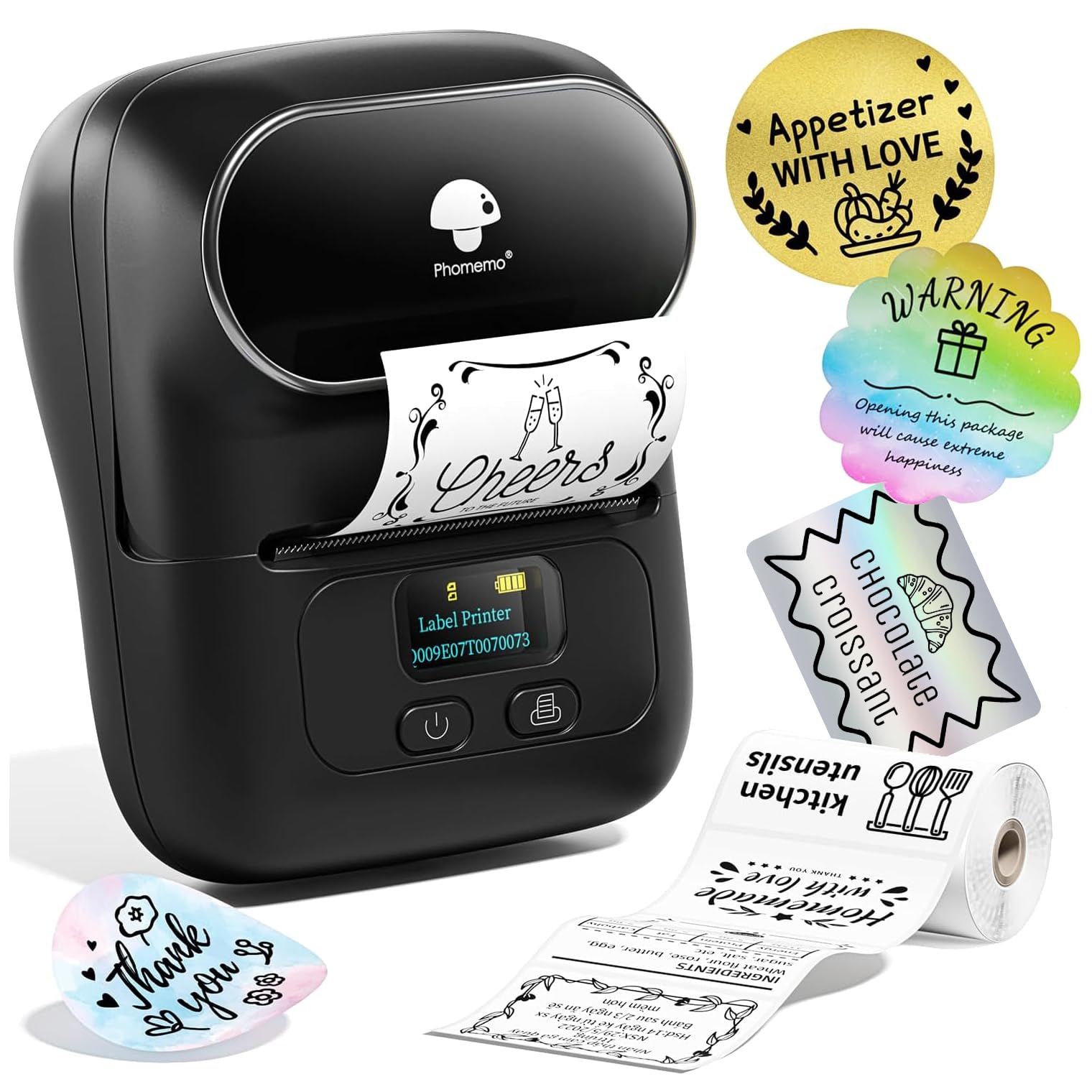
2,000+ ratings
Read Amazon ReviewsPhomemo M110 Label Printer
Choose the reviewed bundle if the three-roll assortment and carry bag are more useful to your setup. Consider this other M110 package if its described label-width range, template count, or battery detail better matches your planned jobs.
- This M110 package describes 20–50 mm label widths, 130+ fonts, 300 templates, a starter set of 100 labels, and a claimed four-hour battery life for heavy use.
- The reviewed M110 bundle includes three rolls of white thermal labels and a carry bag, plus app features for Excel batch printing and OCR.
Desktop Label Printers alternative

700+ ratings
Read Amazon ReviewsPhomemo M220 Label Maker
The M110 suits buyers who prioritize its included bag and OCR workflow. Consider the M220 if the wider label format or described USB computer connection is more important, while keeping its stated upper width limit in mind.
- The M220 supports Bluetooth with phones and tablets and USB with computers, prints labels 0.78–3.14 inches wide, and includes three rolls; it does not support 4 × 6 shipping labels.
- The M110 is a compact 2-inch printer bundle with three rolls and app tools including OCR and Excel batch printing.
Is Phomemo M110 Worth It?
The Phomemo M110 Label Maker is worth considering for small businesses and organized households that need portable monochrome labels, especially when they expect to print repeated sets.
Its bundle is practical, and the app's templates, custom layouts, Excel batch printing, and OCR give it a useful range of creation options.
Buy it if the 2-inch thermal format and app-based workflow fit your routine, and if you are comfortable planning around thermal label supplies.
Its monochrome output, membership-marked design assets, and brand paper recommendation are the main considerations to weigh before choosing.
Your review at a glance
6,000+ ratings
Read Amazon ReviewsPhomemo M110 Label Maker
A practical fit for small businesses, home offices, and organizers who want portable thermal labels, app templates, and batch printing.
- Portable 2-inch Bluetooth thermal label printer for monochrome output.
- Bundle includes three rolls of white thermal labels, a black bag, a USB-C cable, and a user manual.
- The Phomemo app offers multiple label templates and tools for editing or creating custom layouts.
- Excel batch printing supports printing repeated label information in a work session.