The TP-Link USB WiFi 6 Adapter review centers on the Archer TX20U Plus, a dual-band USB adapter designed to add WiFi 6 connectivity to a desktop PC.
Its adjustable antennas and one-meter cable offer more placement flexibility than a compact plug-in adapter, while Windows support and a USB 3.0 port are important fit checks.
Archer TX20U Plus Review Summary
The quick verdict
10,000+ ratings
Read Amazon ReviewsTP-Link Archer TX20U Plus
A fit for Windows desktop users who want dual-band WiFi 6, adjustable antennas, and flexible USB placement.
- WiFi 6 (802.11ax) adapter with dual-band connectivity over 2.4GHz and 5GHz.
- Maximum stated wireless rates of up to 1201 Mbps on 5GHz and up to 574 Mbps on 2.4GHz, for a combined AX1800 class.
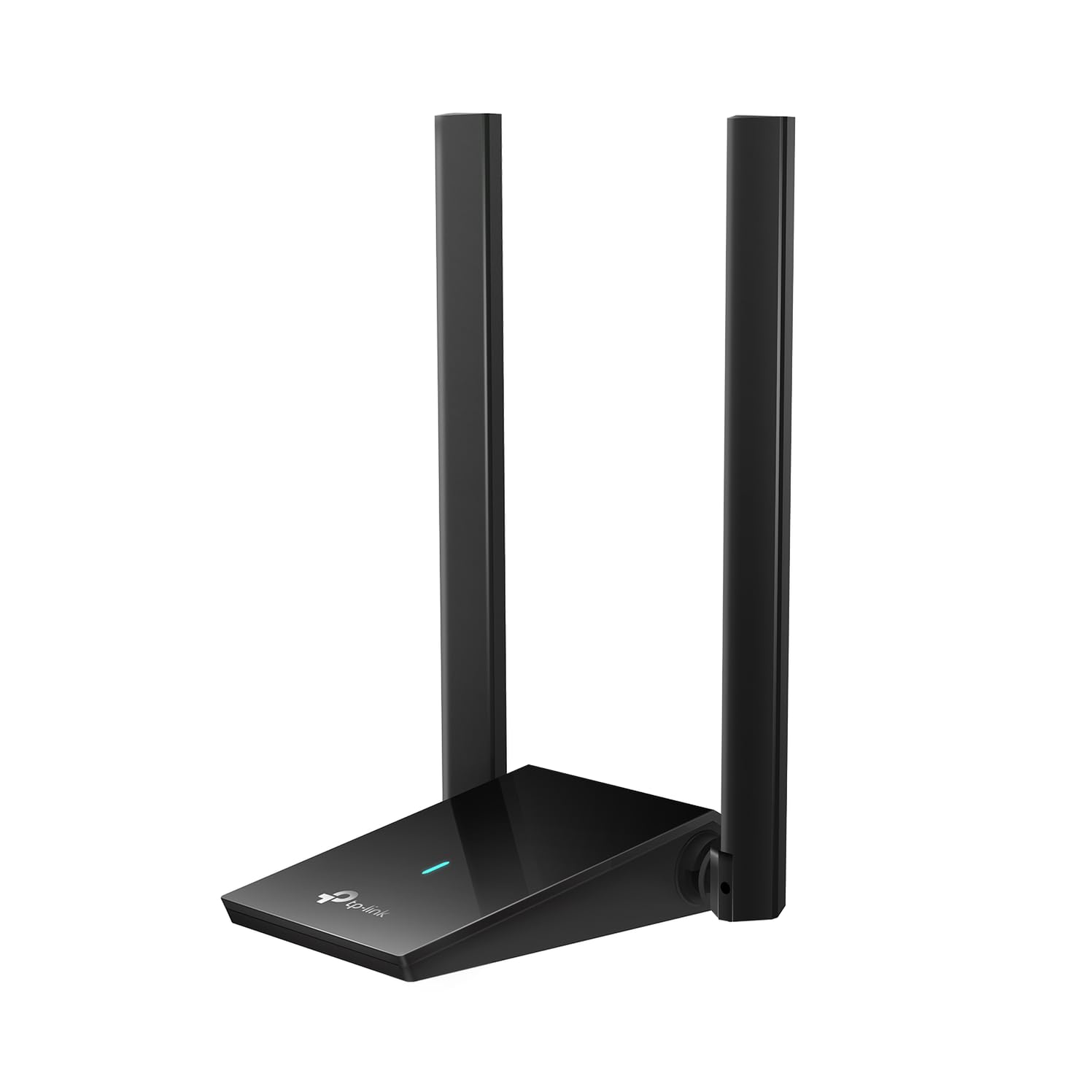
- Two high-gain 5dBi antennas with adjustable, multidirectional positioning and beamforming support.
- OFDMA and MU-MIMO support, designed to help manage traffic in compatible WiFi environments.

Pros
- Offers both 2.4GHz and 5GHz bands, allowing the PC to connect on the band that better suits the network and surroundings.
- The cable and adjustable antennas provide practical placement flexibility for a desktop setup.
Consider before buying
- The stated Windows support is limited to Windows 10 and 11; Mac users need to be comfortable with manual driver installation and should verify compatibility first.
- A USB 3.0 port is recommended, so check the computer’s available ports and avoid assuming an older USB connection will deliver the intended performance.
Read the full review summary
The Archer TX20U Plus combines WiFi 6, 2.4GHz and 5GHz connectivity, and two high-gain antennas in a desktop-oriented design.
It supports theoretical link rates of up to 1201 Mbps on 5GHz and 574 Mbps on 2.4GHz; those figures describe maximum rates, while actual results depend on the rest of the network and the connection environment.
Its adjustable, multidirectional antennas and one-meter USB 3.0 cable let you position the adapter away from the back of a desktop tower, which may help when nearby surfaces or the PC case affect placement.
The stated operating-system support is Windows 10 and 11. Mac users should check the manual driver installation process and compatibility before buying.
The buying factors
Archer TX20U Plus Scorecard
Editorial scores reflect listed features and buyer fit; they are not laboratory measurements or customer ratings.
Dual-band flexibility
Supports both 2.4GHz and 5GHz, with a stated maximum link rate for each band.
WiFi 6 features
Includes WiFi 6 along with OFDMA and MU-MIMO support for compatible network environments.
Desktop placement
Adjustable antennas and a one-meter USB cable allow more positioning options around a desktop.
Operating-system fit
Windows 10 and 11 support is specified; Mac setup requires manual driver installation.
Security support
WPA3 support is included for networks configured to use that security protocol.
Setup considerations
The product calls for a USB 3.0 port and recommends disabling the PC’s internal WiFi before installation.
Key Features and Specifications of Archer TX20U Plus
- WiFi 6 (802.11ax) adapter with dual-band connectivity over 2.4GHz and 5GHz.
- Maximum stated wireless rates of up to 1201 Mbps on 5GHz and up to 574 Mbps on 2.4GHz, for a combined AX1800 class.
- Two high-gain 5dBi antennas with adjustable, multidirectional positioning and beamforming support.
- OFDMA and MU-MIMO support, designed to help manage traffic in compatible WiFi environments.
- WPA3 security support.
- One-meter USB 3.0 cable; USB 3.0 is recommended for optimal performance.
- Windows 10 and Windows 11 support is specified. Mac OS requires manual driver upload.
Pros and Cons of Archer TX20U Plus
Pros
- Offers both 2.4GHz and 5GHz bands, allowing the PC to connect on the band that better suits the network and surroundings.
- The cable and adjustable antennas provide practical placement flexibility for a desktop setup.
- WiFi 6, OFDMA, and MU-MIMO support can be useful when the router and other devices also support those features.
- Includes WPA3 support for compatible network security configurations.
Consider before buying
- The stated Windows support is limited to Windows 10 and 11; Mac users need to be comfortable with manual driver installation and should verify compatibility first.
- A USB 3.0 port is recommended, so check the computer’s available ports and avoid assuming an older USB connection will deliver the intended performance.
- The maximum link rates are not a guarantee of internet speed; the router, service plan, distance, and surrounding environment also affect results.
Who Should Buy Archer TX20U Plus?
Good fit
Consider the Archer TX20U Plus if a desktop PC needs WiFi 6 connectivity and you want the option to move the antennas away from the computer itself.
The one-meter cable can make it easier to find a suitable position on a desk or nearby surface, especially when the tower is tucked beneath one.
Its dual-band support and WiFi 6 features make the most sense when the router can also use compatible standards and bands.
Before ordering, confirm that the PC runs Windows 10 or 11 and has a USB 3.0 port available for the recommended setup.
For Mac use, first check the adapter’s manual driver installation steps and make sure they match your system. The product’s stated compatibility information calls for more setup consideration on Mac than on Windows.
Who should skip it
Skip it if you need a clearly specified plug-and-play Mac solution and do not want to handle manual driver installation or check compatibility. The available operating-system details specify Windows 10 and 11 support.
It may not suit a setup where you cannot use a USB 3.0 port or where a wired connection is required.
This is a wireless adapter, and its maximum rates should not be treated as a promise of real-world throughput.
How the Archer TX20U Plus fits a desktop WiFi upgrade
Band choice and maximum rates
The adapter supports 2.4GHz and 5GHz, with maximum stated rates of 574 Mbps and 1201 Mbps respectively. These numbers indicate the adapter’s link-rate class rather than guaranteed internet speeds.
Your router, distance, interference, and broadband connection all influence what a PC actually receives.
Antenna positioning around a tower
Desktop placement is a central part of this design: two adjustable antennas sit on a unit connected by a one-meter USB cable.
That gives you room to position the adapter on a more open part of a desk instead of leaving it directly behind the computer. The best position will depend on the room and router location.
WiFi 6 and compatible equipment
WiFi 6, OFDMA, and MU-MIMO are relevant when the router and network devices support compatible features.
They are intended to help manage wireless traffic, but the adapter alone cannot add those capabilities to an older router or guarantee lower latency in every network.
Setup and security checks
The product recommends connecting through USB 3.0 and disabling the computer’s internal WiFi before installation. It supports WPA3, which is useful when the router is configured for that protocol.
Windows 10 and 11 are the named supported systems; Mac OS setup requires a manual driver upload, so confirm the process for your system before purchase.
Alternatives to Archer TX20U Plus
No alternative model is recommended here. Compare the design and features that matter to your routine before choosing another option.
Is Archer TX20U Plus Worth It?
The TP-Link Archer TX20U Plus is worth considering for a Windows desktop that needs dual-band WiFi 6 and benefits from flexible antenna placement.
Its cable, adjustable antennas, WPA3 support, and WiFi 6 features make it a practical upgrade candidate when the PC and router are a good match.
Check for a USB 3.0 port and confirm operating-system compatibility before buying. Treat the listed wireless rates as maximum link rates, and consider another setup if you need a wired connection or straightforward Mac installation.
Your review at a glance
10,000+ ratings
Read Amazon ReviewsTP-Link Archer TX20U Plus
A fit for Windows desktop users who want dual-band WiFi 6, adjustable antennas, and flexible USB placement.
- WiFi 6 (802.11ax) adapter with dual-band connectivity over 2.4GHz and 5GHz.
- Maximum stated wireless rates of up to 1201 Mbps on 5GHz and up to 574 Mbps on 2.4GHz, for a combined AX1800 class.
- Two high-gain 5dBi antennas with adjustable, multidirectional positioning and beamforming support.
- OFDMA and MU-MIMO support, designed to help manage traffic in compatible WiFi environments.